10 LinkedIn Profile Photo Tips To Make A Better First Impression
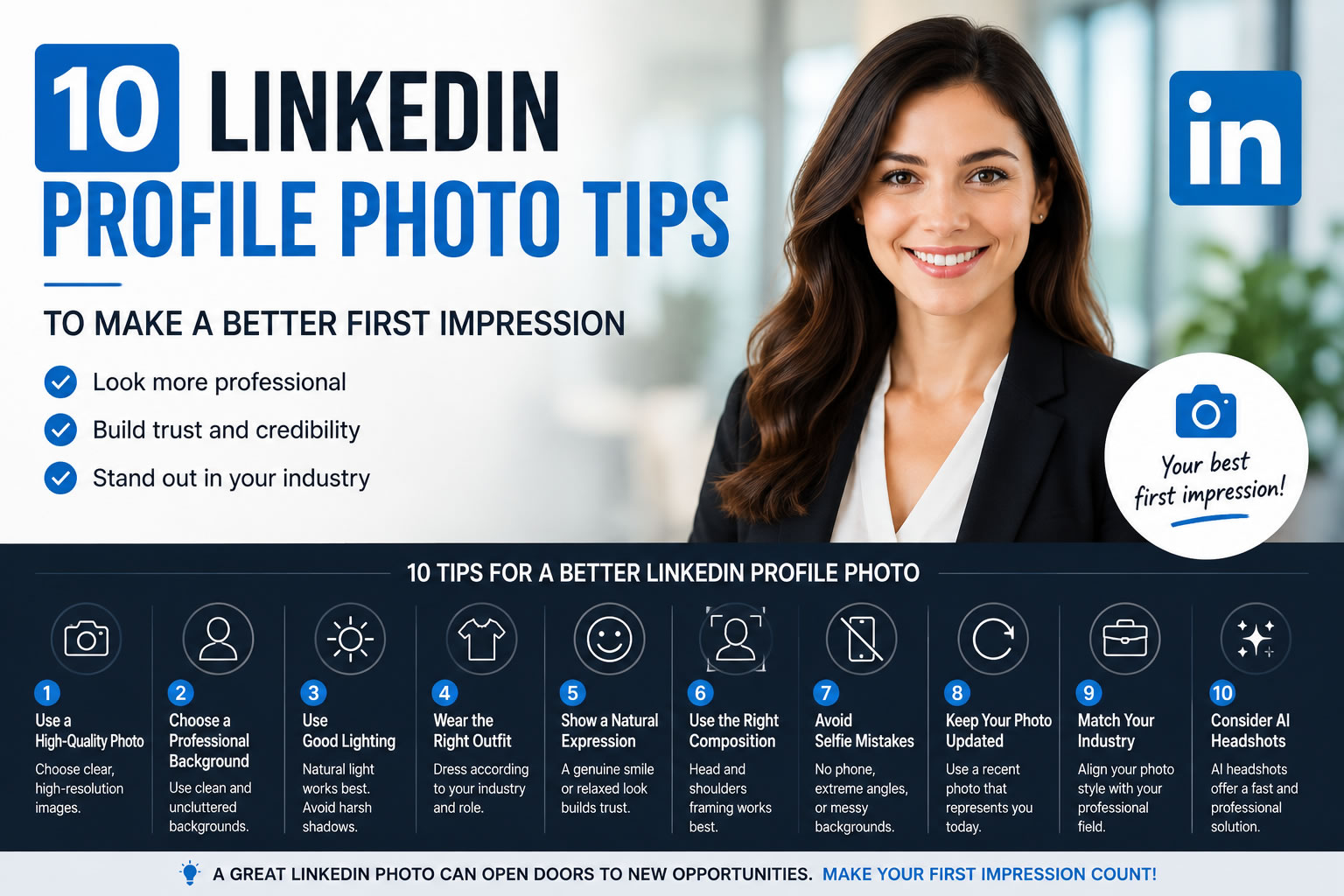
Your LinkedIn profile photo is one of the first things people notice when they visit your profile.
Before reading your experience, skills, or achievements, recruiters, clients, and professional connections often see your profile picture first.
A strong LinkedIn photo can help you appear more professional, trustworthy, and approachable. On the other hand, a low-quality or outdated image may create the wrong impression.
In today's digital-first professional world, your LinkedIn profile photo is part of your personal brand.
Whether you are looking for a new job, building your network, attracting clients, or growing your career, choosing the right profile photo matters.
In this guide, we will share 10 LinkedIn profile photo tips to help you create a stronger first impression.
Why Your LinkedIn Profile Photo Matters
LinkedIn is not just an online resume.
It is a professional networking platform where people discover:
Your experience
Your expertise
Your personal brand
Your professional identity
A professional profile photo helps people feel more comfortable connecting with you.
A good LinkedIn photo should communicate:
Confidence
Professionalism
Authenticity
Approachability
Your goal is not to look like a different person.
Your goal is to present the best professional version of yourself.
1. Use A High-Quality Photo
The first rule of a good LinkedIn profile photo is simple:
Use a clear, high-quality image.
Avoid:
Blurry photos
Low-resolution images
Screenshots
Old pictures
Your face should be easy to recognize.
Modern smartphones can already capture excellent photos, so you do not need expensive equipment.
A clear image with good lighting is often better than a complicated photo setup.
2. Choose A Professional Background
Your background affects the overall feeling of your LinkedIn photo.
Good background choices:
Clean office environment
Simple studio background
Neutral colors
Soft outdoor background
Avoid:
Crowded locations
Distracting objects
Messy rooms
Strong visual distractions
A simple background keeps attention on you.
3. Use Good Lighting
Lighting can completely change how professional a photo looks.
The best option is usually natural light.
Try:
Standing near a window
Taking photos outdoors in soft light
Using bright indoor lighting
Avoid:
Dark rooms
Strong shadows
Flash reflections
Good lighting creates a more natural and polished appearance.
4. Wear The Right Outfit
Your clothing should match your industry and professional goals.
Examples:
Corporate Roles
Consider:
Suit
Blazer
Formal shirt
Creative Industries
Consider:
Smart casual clothing
Modern professional style
Entrepreneurs and Freelancers
Consider:
Professional but approachable outfits
Avoid:
Clothing with distracting patterns
Casual home clothing
Outfits unrelated to your professional image
The best choice is clothing that matches how you want people to see you professionally.
5. Show A Natural Expression
A good LinkedIn photo should feel confident and approachable.
A natural smile often works well.
Avoid:
Forced expressions
Serious or unfriendly looks
Extreme poses
Think about the impression you want to create:
"I am professional, confident, and easy to work with."
A relaxed expression usually creates a stronger connection.
6. Use The Right Photo Composition
The composition of your LinkedIn photo matters.
A good professional headshot usually includes:
Face clearly visible
Shoulders included
Balanced framing
Avoid:
Full-body photos
Very close selfies
Photos where your face is too small
Your profile image should still look professional when displayed as a small circle.
7. Avoid Selfie Mistakes
Selfies are convenient, but many do not work well for LinkedIn.
Common mistakes:
Phone visible in the photo
Extreme camera angles
Bathroom or car backgrounds
Poor lighting
If you take a selfie, make sure:
Camera is at eye level
Lighting is good
Background is clean
Expression is natural
8. Keep Your Photo Updated
Your LinkedIn photo should represent how you look today.
Avoid using:
Photos from many years ago
Images with completely different hairstyles
Outdated professional styles
Updating your photo regularly helps maintain authenticity.
A current professional photo creates more trust.
9. Match Your Industry
Different industries may have different expectations.
A lawyer or financial professional may choose:
Formal clothing
Clean background
Traditional style
A designer or startup founder may choose:
More creative style
Lifestyle background
Personal branding approach
The best LinkedIn photo matches your professional identity.
10. Consider Using AI LinkedIn Headshots
Creating a professional LinkedIn photo traditionally requires:
Hiring a photographer
Scheduling a session
Visiting a studio
AI LinkedIn headshot tools provide another option.
With AI headshots, you can transform your existing selfies into professional portraits.
Benefits include:
Faster results
Lower cost
Multiple professional styles
No studio appointment needed
AI-generated LinkedIn headshots can be useful for:
Job seekers
Remote workers
Freelancers
Entrepreneurs
Professionals updating their profiles
Common LinkedIn Photo Mistakes To Avoid
Using A Group Photo
People should immediately know who you are.
Avoid photos where others appear in the image.
Using A Casual Party Photo
Even if the photo looks good, it may not match a professional environment.
Over-Editing Your Photo
Your LinkedIn image should look realistic.
Avoid heavy filters or unrealistic edits.
Ignoring Your Industry
A creative professional and a corporate executive may need different styles.
Choose a photo that matches your goals.
How To Create A Professional LinkedIn Headshot
You have two main options:
Option 1: Professional Photographer
Best for:
Executive branding
Company campaigns
Premium business photography
Advantages:
Real photoshoot experience
Human direction
Authentic expressions
Option 2: AI LinkedIn Headshots
Best for:
Quick updates
Personal branding
Job seekers
Online profiles
Process:
Upload your photos
Select a professional style
Generate AI headshots
Choose your favorite image
LinkedIn Profile Photo Checklist
Before uploading your photo, check:
✓ Is my face clearly visible?
✓ Does the photo look professional?
✓ Is the lighting good?
✓ Does my outfit match my industry?
✓ Does it represent me today?
✓ Would I feel confident sending this to a recruiter or client?
If the answer is yes, your photo is ready.
Final Thoughts
Your LinkedIn profile photo is an important part of your professional identity.
A strong photo helps create trust, improve credibility, and make a better first impression.
The best LinkedIn photos are not necessarily the most expensive ones.
They are photos that show:
Confidence
Professionalism
Authenticity
Whether you choose a professional photographer or an AI LinkedIn headshot generator, the goal is the same:
Create a profile image that represents the best version of yourself.
Create Your Professional LinkedIn Headshot
Need a better LinkedIn profile photo?
Create professional AI LinkedIn headshots from your selfies with LinkPortrait.
Generate polished business portraits for LinkedIn, resumes, and professional profiles in minutes.